


Enterprise event management software.Many events. One standard.
AirLST is event management software that runs every event in your organization on one platform: templates in your corporate design, roles and permissions for each team, one contact database across all events, and integrations with your CRM and IT. Every new event starts from your standard, not from scratch.

| Event | Date | Guests | Status |
|---|---|---|---|
| Dealer Conference 2026 | Oct 14, 2026 | 1,240 | Registration open |
| Customer Day Frankfurt | Oct 22, 2026 | 380 | Registration open |
| Leadership Summit | Nov 5, 2026 | 210 | In preparation |
| Product Launch Berlin | Nov 19, 2026 | 650 | In preparation |
| Trade Show Press Event | Dec 2, 2026 | 95 | Draft |
| Employee Celebration | Sep 12, 2026 | 2,100 | Completed |
| Partner Summit | Aug 28, 2026 | 460 | Completed |







One event management software. Every event. Full control.
Templates for invitations, event websites and tickets in your corporate design. Teams change the content, not the design.
Roles per team and user. Everyone sees their own events; program leads see all of them.
Who was invited to which event and who showed up lives on the contact record, not in 38 spreadsheets.
REST API and connectors for Salesforce and HubSpot. IT and data protection review it once, not for every event.
Every event starts from your standard. Not from scratch.
Invitation, event website, ticket, confirmation and reminder are ready as templates that follow your brand guidelines, with language versions and your own domain. A new event picks them up in one click; the team adds the date, agenda and guest list.
- Corporate design set onceColors, fonts, logo and sender apply to every event. A deviation is a decision, not an accident.
- Templates for each formatCustomer day, dealer conference, internal meeting: each format has its own set of email, website and ticket.
- Languages and domainsMultilingual websites and custom domains are part of the template, not of a single project.
- Change it in one placeNew logo, new tagline: update the template, and the next events use it.
Sales, communications, HR and agencies. One platform, separate views.
Roles and permissions define for each user which events, guest lists and fields they can see and edit. Departments work in parallel without seeing each other's events. Program leads keep the overview of the whole program, and every change to a guest stays traceable in the change log.
Sample roles. You assign permissions per user and team; field permissions also control who can see sensitive guest data.
Sales sees the dealer conference, HR the employee celebration. Both run on the same platform.
Outside partners edit the guest list of their event but cannot export the contact database.
Who set which guest status and when is recorded in the guest's change log.
Who attended what, and when? The contact knows, not the spreadsheet.
The event CRM tracks every contact across all of your events: invitations, RSVPs, attendance, cancellations and consents. For the next event you invite from your existing contacts instead of collecting lists from different departments.
- Event history per contactSix invitations, five attended, one cancellation: the starting point for your next guest list.
- Consents on recordMarketing and event opt-ins are stored on the contact with a date and can be filtered in every list.
- Invite from your contactsEveryone who attended the last dealer conference and opted in: one filter, one invitation.
- In sync with your CRMAttendance shows up as an activity in Salesforce or HubSpot, without exports.
- Send email
- Invite to event
- Edit
- Open in CRM
- Oct 14, 2026Dealer Conference 2026 Invited · Sales
- Aug 28, 2026Partner Summit Attended, checked in 9:12 AM · Sales
- May 6, 2026Customer Day Hamburg Attended · Marketing
- Nov 19, 2025Product Launch Cancelled · Marketing
- Oct 15, 2025Dealer Conference 2025 Attended, answered survey · Sales
What every event has in common runs on autopilot.
Confirmation after registration, a ticket with a QR code, a reminder before the date, a badge at check-in, a survey afterwards: workflow automation takes these steps off your team's plate. Set up once per template, they apply to every event created from it.
- Rules per templateIf the status is Confirmed, send the ticket. Your team does not set it up again for each event.
- Waitlists move upA cancellation frees the seat, and the next guest is notified.
- Quotas per team or marketSales gets 400 seats, the agency 60. The system keeps count.
Guest status set to Confirmed Send ticket with QR code
active
automatic for every event Reminder by email and SMS
active
Scan sets the status Print name badge
active
A seat opens up Waitlist moves up
active
the following day Send survey to attendees
inactive
Ready for IT, privacy and procurement.
An event program doesn't run alongside your IT; it runs inside it. AirLST connects to your CRM and marketing automation through the REST API and connectors; security and data protection are reviewed and documented once, not again for every event.
- TISAX assessedTISAX is the information security assessment standard of the automotive industry. See the TISAX assessment.
- GDPR compliantData processing agreement, deletion policy and subprocessors are documented in the Trust Center.
- Hosted in GermanyYour event data is stored on servers in Germany, under EU data protection law. See data hosting.
- Field permissions and change logSensitive guest data is visible only to the roles that need it, and every change to a guest is recorded.
 SalesforceConnector
 HubSpotConnector
 SAPIntegration available
 Microsoft DynamicsIntegration available
REST APICustom integrations
MCPAI assistants with your event data
Microsoft DynamicsIntegration available
REST APICustom integrations
MCPAI assistants with your event data
Marketing automation platforms can be connected as well. Implementation through our integration services.
Compare events, don't just count them.
Event analytics come in the same format for every event: invitations, RSVPs, attendance and no-show rate. That is why you can compare this year's dealer conference with last year's, and the customer day with the partner summit.
| Event | Invited | RSVPs | Attended |
|---|---|---|---|
| Dealer Conference 2025 | 1,180 | 1,012 | 918 |
| Customer Day Frankfurt | 360 | 331 | 289 |
| Leadership Summit | 204 | 198 | 191 |
| Partner Summit | 460 | 402 | 371 |
| Employee Celebration | 2,100 | 1,874 | 1,702 |
Which formats fill up, and which need a second invitation wave? The numbers are there per event and across the program.
Who RSVPed and did not come is stored on the guest record, so you can act on it at the next event.
Reports go to finance and leadership as an export, or into your reporting systems through the API.
From process review to the first event under your new standard.
Introducing event management software is organizational work, not just technology. The AirLST team guides it in three steps and stays available afterwards for event days and extensions.
-
01
Process review
Which event formats you run, which teams own them and which systems need to be connected. The result: a template plan and a role model.
Event consulting -
02
Setup and integration
Templates in your corporate design, roles and permissions, domains, languages and the connections to your CRM and marketing automation.
Enterprise implementation -
03
Training and operations
Teams learn their format, not the whole system. For large event days, AirLST can handle entry and accreditation on site.
On-site admission team
AirLST compared with spreadsheets, ticketing platforms and enterprise suites
What a configured attendee management platform adds, compared with the three usual alternatives. Details differ by vendor; check them with the vendor.
| Criterion | AirLSTconfigured for your organization | Spreadsheets and emailExcel, Google Sheets, mail merge | Ticketing platformsPublic ticket sales, self-service | Enterprise suitesLarge international suites, quote-based |
|---|---|---|---|---|
| Guest list with invitations, RSVP and plus-ones | Invitation, RSVP, plus-ones, quotas | By hand, mail merge | Ticket sales, no invitation logic | Included |
| Seating chart and quotas | Drag and drop from the guest list | Drawn on the side | Seat selection at checkout, varies | Module, varies by vendor |
| Check-in app, works offline | QR online and offline, badges on site | Tick off a list | Scanner app, offline varies | Often an add-on module |
| Event app for attendees | Digital booklet in the browser, no app store | Not available | Ticket app, no event booklet | Usually an add-on |
| Badges and check-in team on site | Printed on site, team bookable | Not available | Not part of the offer | Via partners, varies |
| Personal service | Named contact, setup by AirLST, support in German and English | You are on your own | Self-service, support by plan | Account management by contract |
| Configured, not off the shelf | Forms, workflows and branding set up by AirLST, white label | Free, but manual | Templates, branding by plan | Extensive, project effort |
| Hosting in Germany, DPA, TISAX | AWS Frankfurt, TISAX assessed | Depends on your office contract | Location varies by vendor | EU data centers on request |
| AI integration via MCP | AirLST MCP Server for Claude, ChatGPT, Copilot | Only through office assistants | No MCP server known (10/2026) | No MCP server known (10/2026) |
| Pricing model | Package per month or event, free 30-day trial | Free, but manual work | Fee per ticket sold | Quote and annual contract |
As of October 2026. Category comparison without naming vendors; details per vendor change, please verify with the vendor. Checklist and sources: Best event management software: how to compare
Event programs that run on AirLST.
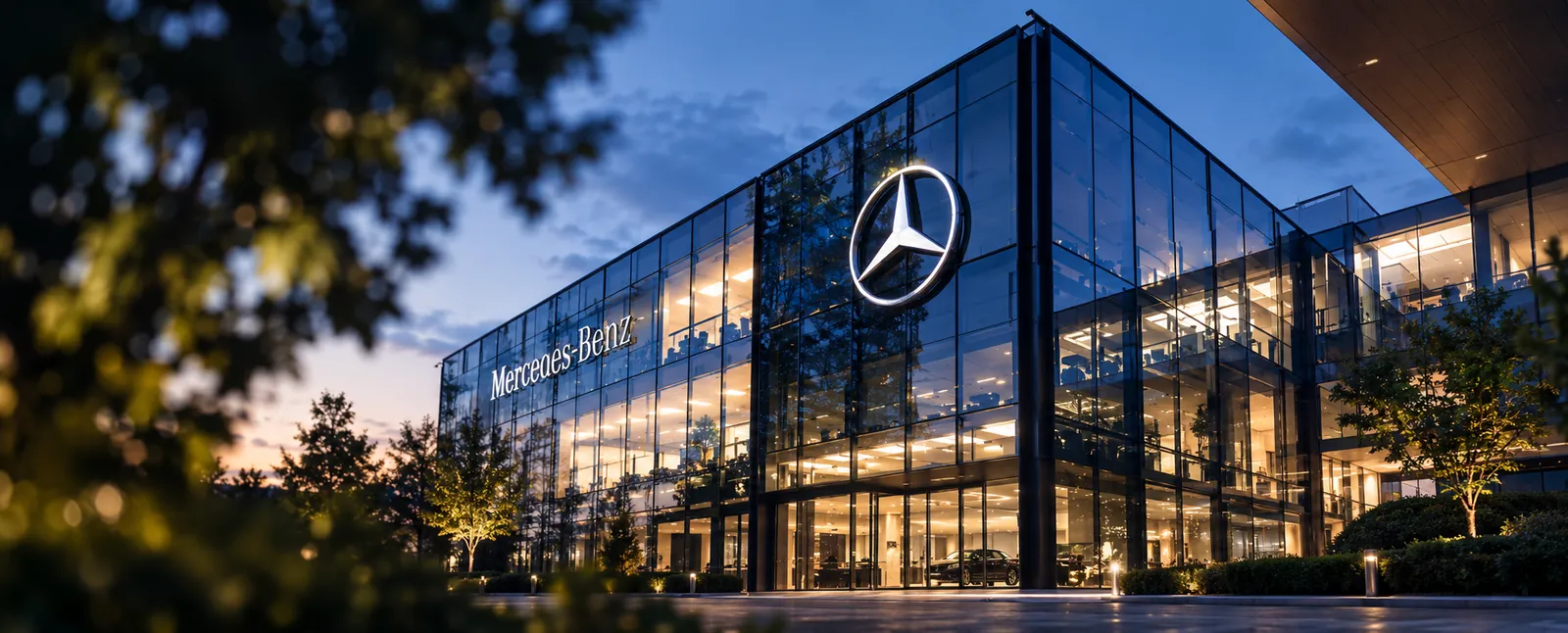 Mercedes-Benz
15,000 events, 1 million attendees
Mercedes-Benz
15,000 events, 1 million attendees
Attendee management at enterprise scale
On AirLST since 2020: 15,000 events with 1 million attendees and 5,000 users, up to the “120 UT” plant celebration with more than 50,000 guests in a single day.
Read the case study
 15,000 VIP tickets, 78 countries
One hospitality allocation, 78 countries
Heineken allocates its hospitality contingent around the UEFA Champions League and Formula 1 with AirLST: 500 users in 78 countries work in one system.
See corporate hospitality 2,000 attendees, one design
Self-service event planning with one design
2,000 attendees with one reusable design: teams adapt templates in AirLST Studio and plan their events on their own.
Read the case study
30 recurring events with one design model
Customizable landing pages, surveys and corporate design: 30 events with 4,000 attendees, run in-house.
Read the case study 80,000 attendees, 20 check-in points
Summer party, Music Days, Airport Days: one system
80,000 attendees with QR code tickets and 20 check-in points, organized on one platform.
Read the case studyMore examples, from Zalando to the Ulm Chamber of Industry and Commerce, are in our customer stories. Which software fits which event program, from enterprise suites to simple invitation tools, is laid out in the event management software comparison.